
Point of Sale Signage: A Retailer's Guide to More Sales

Point of sale signage is defined as printed or digital displays positioned at or near the checkout area to influence purchasing decisions at the final moment of a transaction. In retail, this is your last chance to speak to a customer before they leave the store. 52% of shoppers report making impulse purchases after exposure to in-store ads and POS signage. That number tells you exactly how much revenue is sitting uncaptured at your checkout counter right now. Understanding what is point of sale signage, and how to use it well, is one of the highest-return investments a retail business owner can make.
What is point of sale signage and how does it work?
Point of sale signage, often called POS signage, is any visual marketing material placed in the checkout zone to prompt a buying decision. The industry also uses the term "point of purchase" (POP) signage, though there is a meaningful difference. POS displays are compact, designed specifically for last-minute impulse buys, while POP displays are larger and found throughout the store. POS signage works by catching a customer's eye at the exact moment they are mentally committed to buying, making them more open to adding one more item.
The mechanism is straightforward. A customer approaches the register. A well-placed sign reminds them of a complementary product, a limited-time offer, or a loyalty program. POS displays influence quick decision-making by reinforcing value at the precise moment a purchase is happening. That reinforcement reduces hesitation and increases average transaction size without requiring any additional staff effort.
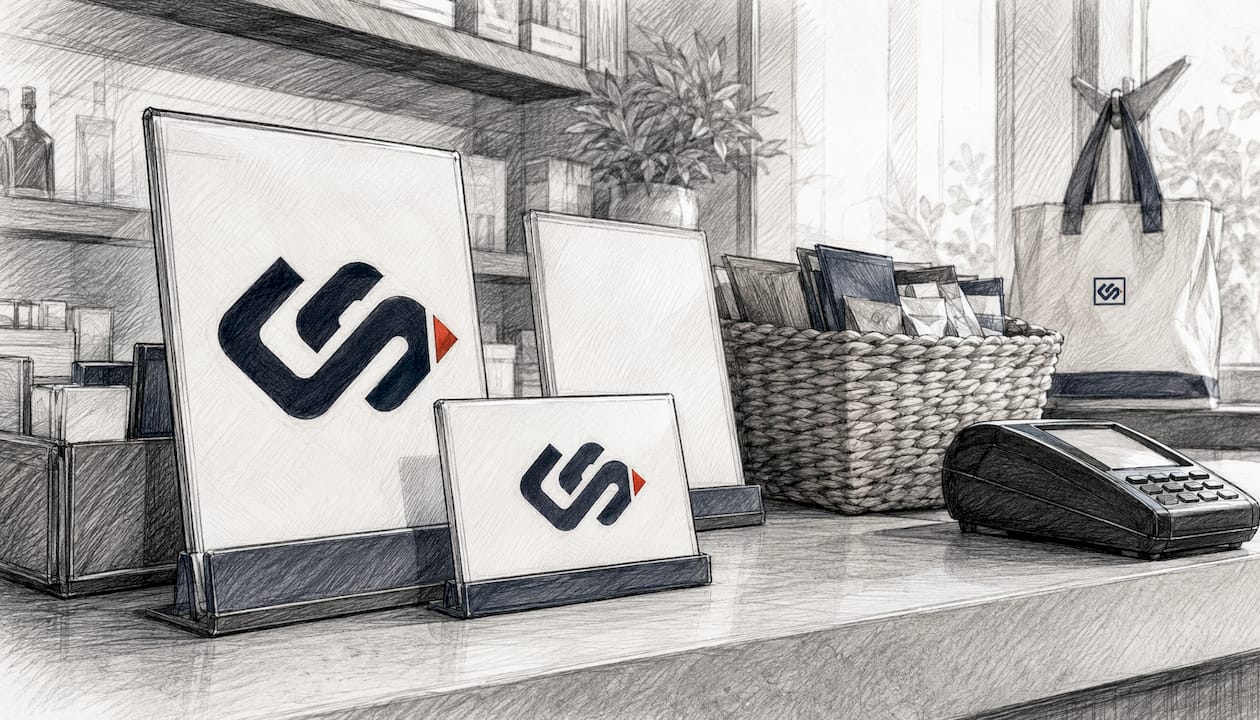
What types of point of sale signs exist in retail?
Retail POS signage covers a wide range of formats. Each format serves a specific location, product type, and customer interaction style.
Printed signage formats:
- Posters and banners: Large-format prints placed behind or beside the register to promote featured products or seasonal offers
- Shelf talkers: Small signs attached directly to shelving that call out price, features, or promotions on individual products
- End-cap displays: Freestanding units at the end of aisles, ideal for high-margin or seasonal items
- Window clings: Adhesive prints on glass surfaces that attract attention from both inside and outside the store
- Floor decals: Graphics applied to the floor that guide customers toward the checkout or highlight a promotion
Digital and interactive formats:
- Digital menu boards: Screens displaying rotating offers, especially common in food service and pharmacy retail
- Interactive kiosks: Touchscreen units that let customers browse products or access loyalty programs
- QR codes: Digital elements like QR codes increase engagement by linking physical shoppers to digital content, such as product videos or exclusive discounts
Specialized formats:
- Impulse purchase holders: Small countertop racks holding low-cost add-on products paired with a price sign
- Countertop signage: Tent cards or acrylic holders placed directly on the sales counter for upsell messaging
| Signage type | Typical location | Primary purpose |
|---|---|---|
| Shelf talker | Product shelf | Highlight price or promotion |
| End-cap display | Aisle end | Feature seasonal or impulse items |
| Digital menu board | Behind register | Rotate offers in real time |
| QR code sign | Counter or window | Link to digital content or discounts |
| Floor decal | Checkout path | Guide traffic and promote offers |
| Impulse purchase holder | Sales counter | Drive last-minute add-on sales |
POS displays often include impulse purchase holders, digital menu boards, posters, and countertop signage designed for quick transactions. The variety gives retailers the flexibility to match format to product and customer behavior.
What are the benefits of point of sale signage for retailers?
The benefits of point of sale signage go well beyond decoration. They show up directly in your revenue numbers.
Increased impulse sales. The most direct benefit is capturing unplanned purchases. With up to 80% of brands using strategic signage seeing measurable sales increases, the evidence is consistent. A single well-placed shelf talker promoting a $5 add-on can meaningfully lift your daily average transaction value.
Reduced decision fatigue. Customers face hundreds of choices during a shopping trip. Effective POS signage reduces decision fatigue by providing timely product reminders exactly when customers are ready to buy. Instead of overwhelming them with options, a focused sign narrows the choice and makes it easy to say yes.
Brand message reinforcement. POS signage bridges email and SMS campaigns with physical retail, reinforcing brand messaging and increasing basket size. A customer who saw your promotion in an email and then sees the same offer at checkout is far more likely to act on it.
Improved navigation and product discovery. Signs near checkout help customers find products they did not know you carried. This is especially valuable for new product launches or seasonal items that need visibility without a full store reset.
Higher customer satisfaction and repeat visits. Investing in POS signs leads to higher customer satisfaction by making shopping easier to navigate. Customers who feel guided rather than pressured come back more often.
How can retailers design effective point of sale signage?
Good design is not about making signs look attractive. It is about making them work in the two seconds a customer spends glancing at the checkout area.
The "last 3–5 feet" rule
The "last 3–5 feet" rule states that POS signage should be positioned where customers' eyes naturally rest before purchase to maximize impact. Place your most important sign within that zone, at eye level, facing the customer as they approach the register. Signs placed too far away or too high up lose most of their effectiveness.
Core design principles
- High contrast: Use dark text on a light background, or vice versa. Avoid color combinations that blend into your store's wall colors.
- Concise messaging: Your sign should communicate its offer in five words or fewer. "Buy 2, Get 1 Free" works. A paragraph of copy does not.
- Readable in under two seconds: If a customer cannot absorb your message in a quick glance, the sign is too complex.
- Eye-level placement: Position signs between 4 and 5 feet from the floor for standing adult customers.
- Single call to action: One sign, one message. Do not ask customers to do three things at once.
Pro Tip: Test your sign by standing at the customer's position and looking at it for exactly two seconds. If you cannot recall the full message, simplify it.
Balancing static and digital elements
Combining static and digital POS signage maximizes engagement and allows real-time updates. A printed poster builds brand presence and never needs a power source. A digital screen lets you swap promotions by the hour without reprinting anything. The best checkout zones use both: a printed brand anchor combined with a rotating digital offer screen.
Avoid cluttering the checkout area with too many signs. Three focused signs outperform ten competing ones every time. The goal is to guide the customer, not pressure them.
What are some effective point of sale display ideas?
Creative execution separates forgettable checkout zones from ones that actually sell. These ideas work across retail categories, from grocery to specialty retail to service businesses.
Pair printed posters with digital product demos. Place a printed sign next to a small screen showing a 30-second product video. The poster catches the eye; the video closes the sale. This combination works especially well for products that need demonstration, such as kitchen gadgets or skincare tools.
Use shelf talkers to highlight add-ons. If you sell coffee, a shelf talker next to the register that reads "Add a travel mug for $8" converts browsers into buyers. The key is relevance. The add-on must connect logically to what the customer is already buying.
Build seasonal end-cap displays. Rotate your end-cap content every four to six weeks to match seasonal demand. A back-to-school display in august, a gift-wrap station in december, and a sunscreen feature in june each serve a specific customer need at the right time.
Add QR codes for instant discounts. A sign reading "Scan for 10% off your next visit" gives customers a reason to engage with their phone right at the register. Interactive kiosks and QR codes link physical shoppers to digital content, extending the customer relationship beyond the store visit.
Feature last-minute necessity items. Stock your impulse purchase holders with items customers frequently forget: batteries, lip balm, hand sanitizer, or travel-size products. Pair each item with a simple price sign. No persuasion needed. The product sells itself when it is visible and priced clearly.
Pro Tip: Rotate your POS display products monthly. Customers who visit regularly stop noticing static displays after two or three visits. Fresh product placement resets their attention.
Successful POS signage reduces customer friction at the critical purchase moment by reinforcing offers and guiding product selection. The best display ideas share one trait: they make the customer feel helped, not sold to.
Key takeaways
Point of sale signage is the most direct tool retailers have for increasing average transaction value and capturing impulse purchases at the moment of highest buying intent.
| Point | Details |
|---|---|
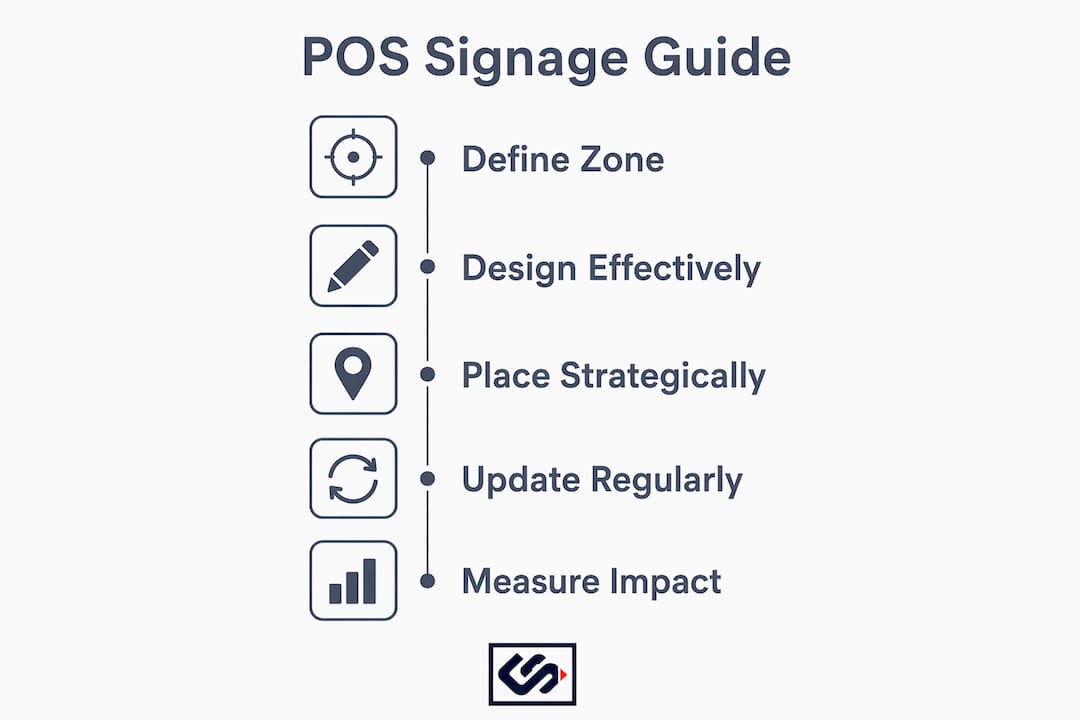
| Define your zone | Place signage within 3–5 feet of checkout, at eye level, for maximum impact. |
| Match format to purpose | Use shelf talkers for add-ons, digital screens for rotating offers, and floor decals for navigation. |
| Keep messages short | Signs must communicate their offer in under two seconds to be effective. |
| Combine static and digital | Printed signs build brand presence; digital screens allow real-time promotion updates. |
| Refresh displays regularly | Rotating products and messaging every four to six weeks maintains customer attention. |
Why most retailers underuse their checkout zone
Most retail businesses I work with treat their checkout area as a logistical space, not a marketing channel. The register is there to process transactions. The counter holds a card reader and maybe a tip jar. That is a significant missed opportunity.
The checkout zone is the one place in your store where every single customer stops. They are standing still, waiting, and mentally open to one more decision. That is not a moment to leave blank. It is the highest-traffic, highest-intent real estate in your entire operation.
What I have seen work consistently is treating POS signage the way a good email marketer treats a subject line: one message, one action, zero clutter. The retailers who struggle with POS signage almost always make the same mistake. They put up five signs, none of which says anything clearly, and then wonder why the display does not move product.
The other mistake is treating signage as permanent. A sign that has been up for six months is invisible to your regular customers. They have already processed it and filed it away. Freshness is part of the strategy, not an afterthought.
The retailers I have seen get this right treat their POS zone like a mini campaign. They plan it, they measure it, and they change it. That discipline is what separates a checkout counter that generates revenue from one that just processes payments.
— Nick
How Crispsign helps retailers get POS signage right
Your checkout zone deserves the same attention as your storefront. Crispsign produces custom retail signage built to professional standards, with faster turnaround times than traditional print shops. Whether you need countertop signs, printed posters, or lobby displays that carry your brand from the entrance to the register, Crispsign fabricates each piece to your exact specifications.
Small and mid-sized retailers get the same quality-made results as large chains, without the long lead times or minimum order headaches. If you are ready to turn your checkout area into your best-performing sales channel, Crispsign makes it straightforward to get there. Request an instant estimate at crispsign.com and see what professional POS signage looks like when it is built for your brand.
FAQ
What is point of sale signage?
Point of sale signage is printed or digital marketing material placed at or near the checkout area to influence purchasing decisions at the final moment of a transaction. It includes formats like shelf talkers, countertop signs, digital screens, and floor decals.
How does POS signage differ from POP signage?
POS displays are compact and positioned specifically at the checkout for last-minute impulse buys, while POP displays are larger and placed throughout the store to influence decisions earlier in the shopping trip.
Where should point of sale signs be placed?
The "last 3–5 feet" rule places POS signage where customers' eyes naturally rest before purchase. Eye-level placement, between 4 and 5 feet from the floor, delivers the highest visibility and response.
What materials work best for point of sale signage?
Printed signs on foam board, acrylic, or corrugated plastic hold up well in high-traffic checkout zones. Digital screens work best for promotions that change frequently. Combining both formats gives you the most flexibility.
How often should retailers update their POS displays?
Rotating POS displays every four to six weeks prevents regular customers from tuning out familiar signage. Seasonal updates and new product features give returning shoppers a reason to look again.